How To Increase Page Views And Reduce Bounce Rate On WordPress Site

Do you ever wonder why people visit your website but leave so quickly? Or why your pageviews aren’t growing like you hoped? Don’t worry – you’re not alone. Many WordPress site owners face the same challenge.
In this blog, we’ll show you simple and smart ways to increase pageviews and reduce bounce rates on your WordPress site. These tips are easy to follow, even if you’re not a tech expert.
No tricky terms, no confusing steps – just clear, helpful advice to make your website more engaging and keep visitors coming back. Ready to boost your blog? Let’s get started!
What is Bounce Rate and Why It Matters

The bounce rate refers to the proportion of visitors who view just a single page on your WordPress site before exiting. The rate at which visitors leave your site indicates whether the content meets their needs. The bounce rate either reaches above average or stays below average, showing they are willing to explore your website further.
An acceptable bounce rate depends on the nature of your content; however, as a general guideline:
- 20–40% = Good
- 41–55% = Average
- 56–70% = Need to improve
- Above 70% = Considered as a bad bounce rate
What are page views and why are they significant?
Page views count how many times a page on your WordPress site is loaded or refreshed. If one visitor reads three different posts, that’s three page views. It demonstrates the extent to which individuals are engaging with your content.
The number of page views is crucial as they offer valuable information about the level of engagement on the website. When pages accumulate more views it indicates that visitors remain on-site longer to consume multiple articles alongside finding your content valuable. Your SEO position and ad revenue together with site performance enhance through this improvement.
How to Calculate Bounce Rate
Bounce rate is the number of visitors to a WordPress that landed on its first page and left without clicking on anything else or visiting another page.
Formula:
Bounce Rate = (Single Page View / Total View ) * 100
Bounce Rate Tracking Tools
Here are some useful tools to measure bounce rate on your WordPress site:
- Google Analytics is the leading and cost-free platform for monitoring bounce rate, page views, and in-depth user behavior.
- MonsterInsights is a straightforward WordPress plugin that displays the bounce rate right in your dashboard.
- Matomo is a privacy-focused alternative to Google Analytics that also tracks bounce rate and other metrics.
- Jetpack Stats is a simple option for WordPress users to see traffic data, including basic bounce info
- Clicky is real-time analytics with easy-to-read bounce rate reports.
15 way to to Reduce Bounce Rate and Improve Page Views
Reduce bounce rate and boost page views lead to improved engagement. Simple change can lead to improvement site speed, image optimization, and content enhancement to keep visitors longer.
These measures are directed toward improving user experience, such as better navigation, more internal links, as well as more value-added to content, which will make the users want to visit more pages on-site and keep exploring them.
Here are 15 tested formulas on Reduce Bounce Rate and Improve Page views:
- Improve Site Speed and Performance
- Enhance Content Quality and Relevance
- Optimize WordPress Navigation Menus for Better Users Engagement
- Improve Internal Linking Structure
- Use Related Posts and Content Suggestions
- Optimize for Mobile Users
- Improve UX and Site Navigation
- Leverage Multimedia Content
- Design a Custom 404 Page to Keep Visitors Engaged on Your WordPress Site
- Create Series-Based or Core Topic Content
- Utilize Exit-Intent Popups Smartly
- Use Analytics to Understand Behavior
- Encourage Comments and Engagement
- Regularly Update Your Content
- Review Your Rankings to Avoid Irrelevant Search Results
Let’s see the details about above points:
Improve Site Speed and Performance
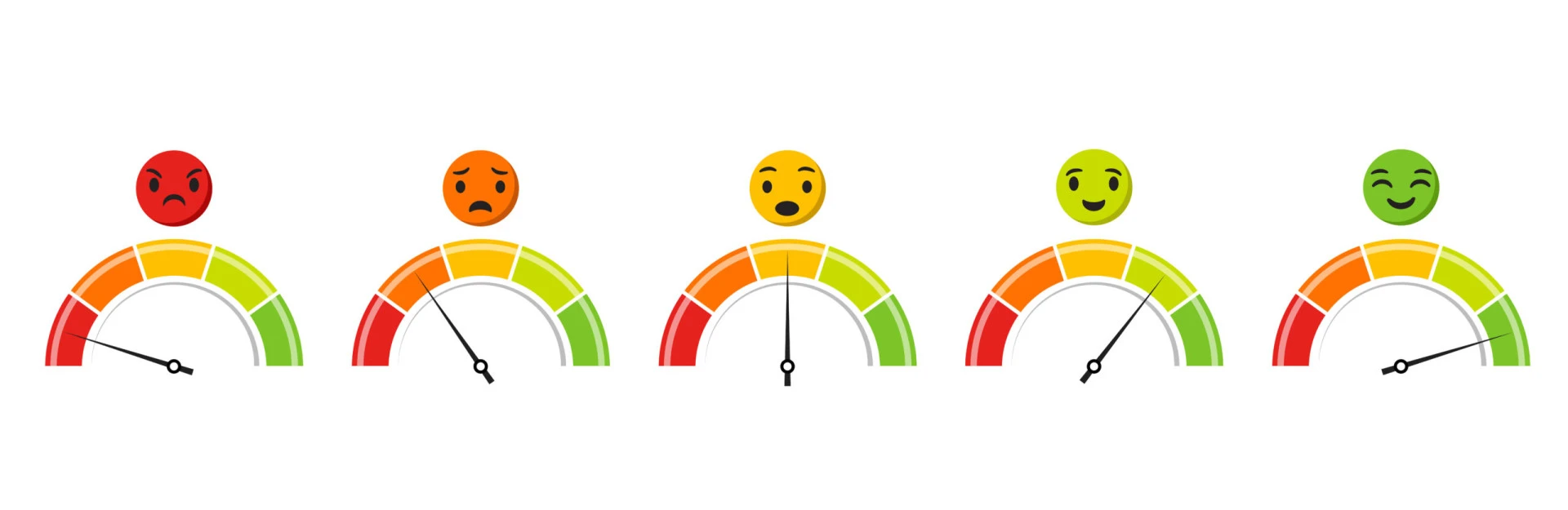
If your WordPress site drags in speed, it can easily let visitors leave before they even appreciate your content. Speed is a secret key: it is directly related to the bounce rate, user experience, and your Google rankings. The faster it takes to load your site, the more likely visitors will stay and engage. Using these tools, GTmetrix or Google PageSpeed Insights, you can check your WordPress website’s speed.
Want to enhance speed for a faster, smoother, and engaging WordPress website? Here are some tips that will ensure you a lightning-fast speed:
- Compress your images using tools like TinyPNG or ShortPixel for fast loading.
- Use a caching plugin to maintain an older version of your website that can be used whenever a visitor hits the load button on a page house.
- Choose a reliable, and fast hosting provider that specializes in WordPress so site load faster.
- Use a lightweight theme that doesn’t come overloaded with features or animations.
- Minimize your dependence on plugins, since having too many can affect your site’s performance negatively.
- Activate lazy loading to ensure images and videos load only when users scroll to them, which enhances your page’s initial load time.
Enhance Content Quality and Relevance
Engaging content keeps visitors on your WordPress site for extended periods and encourages them to explore further. To achieve this, the content needs to align with the actual needs of the visitors in search intent. Clarity of headlines, titles, and useful information together build trust and overall keep the bounce rate low. If the content really helps the audience, they will stick around, and share it.
Below are some ways to make your WordPress content more engaging and relevant:
- Understand the search intent of your page audience or something that they might have been looking for while they arrived on your page.
- Use clear and organized headlines (like H1, H2, H3) so your content is easy to read and makes sense at first look.
- Stay real with the titles; clickbait can attract users for a moment, but once users realize they have quickly exit.
- Write content that satisfies genuine problems or answers some particular questions that your audience has been asking.
- Keep your writing simple and direct so that even someone new to the topic can easily understand and follow along.
- Update and expand your older posts regularly to keep the content fresh, useful, and aligned with current trends or search behavior.
Optimize WordPress Navigation Menus for Better Users Engagement
Your navigation menu is a map for your visitors. If they can’t easily find what they want, they will leave your Website quickly. A clean and organized menu optimizes user experience and allows users to explore more pages, stick around, and engage with your content. It makes a WordPress site look much more professional and trustworthy, which improves engagement and SEO.
Here, we shall navigate creating the user-friendly navigation on any WordPress site.
- Keep the main menu simple with only the most important pages, so visitors don’t feel overwhelmed.
- Use understandable and common labels, like ‘About,’ ‘Blog,’ ‘Services,’ or ‘Contact,’ instead of labels that might puzzle users.
- Use dropdowns to organize relevant items. This way, your menu shows more options while maintaining organization.
- Ensure that the menu of your site is convenient for mobile phone users. Many of the users will visit your site from mobile phones.
- Include a Search bar within your header that enables users to navigate directly on subtopics without unnecessary distractions.
- Highlight key pages or offers (like “Free Trial” or “Shop Now”) using button styles or contrasting colors to guide user action.
Improve Internal Linking Structure
Internal links means that one page or blog post is linked with another within your website. It helps visitors to guide more of your content, which keeps them on your site for a longer time, reduces bounce rate, and increases page views. These links also help search engines understand your site structure and improve your SEO rankings over time. Strategic internal linking makes your content more valuable by connecting related topics naturally.
Internal linking is all about using links within your pages and content so that visitors and search engines can easily find your other content.
- Integrate relevant blog posts seamlessly within your content to maintain reader interest and encourage navigation throughout your site.
- Utilizing descriptive anchor text is crucial because it informs users about the type of page or content they will access when they click on the link.
- Do not overload links; having a well-structured internal linking system is more beneficial than filling every paragraph with them.
- Update old blog posts by adding internal links to newer, related articles to refresh their value and improve traffic.
- Utilize internal linking plugins such as Link Whisper or Yoast SEO.
Use Related Posts and Content Suggestions
The best way to keep visitors longer on your WordPress site is to show them what they are already interested in. Adding related posts at the bottom of your articles can also encourage readers to explore more content.
Below are a few steps on how to add relevant post suggestions in your WordPress blog:
- Display popular posts, latest articles, or content by categories using widgets in the sidebar or footer.
- Keep the design of your related posts clean with thumbnails, titles, and brief descriptions.
- Use plugins like Yet Another Related Posts Plugin (YARPP), Contextual Related Posts, or Jetpack, which automatically suggest relevant content.
Optimize for Mobile Users
Over fifty percent of internet traffic is generated by mobile devices. Google currently evaluates your website’s ranking based on its performance on mobile devices. If your WordPress site is not optimized for mobile, visitors might exit your site rapidly, which can negatively impact your rankings.
Here are some fast suggestions to ensure your WordPress site is optimized for mobile devices:
- Select a responsive WordPress theme which provides optimal appearance on every screen dimension.
- Pick mobile-friendly plugins that don’t slow down or break your layout.
- Make sure your menu and buttons are simple and touch-friendly for mobile users.
- Avoid unorganized layouts and large pop-ups that frustrate mobile users.
- Using the Google mobile-friendly test, you can quickly spot an issue.
Improve UX
A smooth and user-friendly experience keeps visitors on your WordPress site longer. When people can easily find what they’re looking for and your layout feels clean, most likely the visitor will stay, and explore your site.
Here are some tips to improve user experience on your site through which visitors visit more pages. It reduce the bounce rate and increase page views:
- Use well-structured menus and breadcrumbs links so users never have to guess where they are and how to return.
- Keep your layout simple and clean by junking the unnecessary and using plenty of white space.
- Create a visual hierarchy through fonts, colors, and button sizes to lead visitors through your content in a natural manner.
- Make sure significant buttons and links shout, especially action calls like “Buy Now” and “Read More.
- Stick to the same design elements throughout the site so that it feels familiar and simple to use.
- Test navigation on desktop and mobile, as well, to be sure there’s smooth navigation for all users.
Leverage Multimedia Content
By adding videos, infographics, and other visuals you can make your WordPress content more interesting and easier to understand. Multimedia helps to break long format text, which keeps readers engaged, and improves how much time they spend on your site.
These guidelines show how to optimize multimedia usage on your WordPress platform:
- Use videos or infographics to explain complex topics in a more visual and engaging way.
- Reduce media file size before uploading to keep your site fast and smooth.
- Use captions and alt text on every image and video to improve SEO and make your site more accessible for new visitors.
- Avoid autoplay on videos, especially with sound. It can be annoying for the visitors and increase bounce rate.
Design a Custom 404 Page to Keep Visitors Engaged on Your WordPress Site
A default 404 error page (when a visitor lands on a broken or missing link) can be frustrating and drive people away. But with a custom 404 page on your WordPress site, you can turn that dead end link into a new opportunity. Instead of losing a visitor, guide them to helpful content and keep them engaged.
A useful and visitor-friendly 404 page can be created following these steps:
- Add a message that lets the user know that the page they’re looking for isn’t available, keep your tone helpful, simple, and not robotic.
- Lead readers to your most popular or recently posted blog entries so they will remain on the website longer.
- Use WordPress plugins or theme settings that easily create and customize your 404 page without coding.
Create Series-Based or Core Topic Content
Core Topic content is a long, in-depth post that covers a large topic and links to smaller, related posts (subtopics). Consider it the central point of a content wheel. This type of structure helps visitors to explore more of your WordPress content, spend additional time on your site, and boost your site’s SEO through smart internal linking.
How Core Topic content maintains engagement and increases pageviews:
- A core topic content gives a complete overview of a topic while linking to detailed articles for deeper info.
- Series-based posts encourage readers to follow along, like a mini course or step-by-step guide.
- Using a link cluster strategy, you connect one main topic with subtopics, which helps users navigate naturally.
Utilize Exit-Intent Popups Smartly

Exit-intent pop-ups are an effective way to reduce bounce rates and engage the site before leaving your WordPress site. Exit-intent pop-ups appear when users are about to exit the page and offer something valuable such as a freebie or newsletter sign-up. Exit-intent pop-ups, when executed properly, encourage users to stay, take action, or return later on.
Executing exit-intention pop-ups effectively follows these steps:
- Provide visitors with a cost-free resource such as an e-book, checklist or guide to attract them to stay on your platform or join your subscriber list.
- Design a plain and easy-to-understand pop-up interface using noticeable yet non-disruptive action points.
- Pop-ups should be used securely for multiple overwhelming or challenging to the eyes pop-ups can confuse users.
Use Analytics to Understand Behavior
Understanding how visitors interact with your WordPress site is key to improving engagement and reducing bounce rates. Google Analytics helps track essential metrics like bounce rate and page views, while heatmaps show exactly where users are clicking. By analyzing this data, you can optimize your site to keep visitors engaged and improve their overall experience.
The following approach allows you to enhance website user behavior through analytics:
- Adopt Google Analytics to monitor metrics like Bounce Rate and Pageviews among others which give one an idea about how the visitors interact with his content.
- Leverage heatmaps from tools to see where users click the most, this helps you to optimize your layout and content of your site.
- You can run A/B tests on different pages or elements to see what is working the best and continually improve your site.
Encourage Comments and Engagement
Comments are an indication that people are loving and relating to your content. This feeling creates a community among your visitors, pulling them in again and again. Encouraging discussions on your WordPress site shows search engines that there really is something happening to their mark of worthiness for your content.
Here are some ways to increase comments and engagement:
- Encourage interaction using interactive comment plugins (like wpDiscuz or Thrive Comments) to make commenting easier and more enjoyable.
- Reply comments regularly to show readers you value their input and keep the conversation going.
- Promote your comment by asking your readers to leave a comment by adding a clear call to action. For example, “What do you think? Let us know in the comments!”
Regularly Update Your Content
Keeping your WordPress site updated with fresh content helps you to stay on Google’s radar. Search engines love pages that are current and useful. If your articles are no longer current, Google might lower your rankings. Refreshing your content demonstrates to both Google and your audience that your website is engaged and reliable.
Below are several ways to keep your content fresh and SEO friendly:
- Review your old posts and update facts, stats, images, and links so they remain accurate and updated.
- The continuous search by Google for fresh content provides you with an opportunity to raise both ranking position and website traffic by maintaining active updates on existing articles.
- Improve headlines, meta descriptions, and internal links while updating posts to boost SEO.
- Use tools like Google Search Console, Animalz Revive, or Ahrefs to find posts that are losing traffic (this is called content decay).
Review Your Rankings to Avoid Irrelevant Search Results
Sometimes, the posts on the WordPress site might be ranking for keywords that don’t suit the topic well. This might invite the wrong audiences, and they might bounce back after loading it, so your bounce rate has increased. Keyword analysis from the ranking pages can uncover those keywords to ensure the content is based on what people look for.
Here are some steps to keep your rankings clean and relevant:
- You can utilize Google Search Console or Ahrefs to discover the keywords that are driving traffic to your articles.
- Use relevant headings and meta descriptions so users know exactly what to expect before clicking.
- Avoid keyword stuffing to increase traffic, it could result in a higher bounce rate and lower rankings over time.
- Check whether those keywords align with your content or if people might click and feel disappointed.
Conclusion
We must ensure that your WordPress site is faster, more usable, and more engaging to boost page views and reduce bounce rates. When your site is easy to navigate and offers useful content together with speedy loading times, visitors will be more likely for longer to explore. Minor modifications to improve linking, regular updates, and mobile designs can make your site traffic-worthy and encourage repeat visits.
Frequently Asked Questions
1. What is considered an acceptable bounce rate for a WordPress blog?
A good bounce rate for a WordPress blog is considered 20-40%. Above 70% indicates content relevance, good user experience, or possibly page load speed issues.
2. What is the method to determine the bounce rate of my WordPress website?
Tackling bounce rate observations for WordPress sites include Google Analytics, MonsterInsights, or Jetpack Stats, which track bounce rates and user behavior for your site.
3. What is the significance of internal linking in decreasing bounce rates?
Internal links provide guidance to visitors, leading them to other relevant content on the site, and thus keeping them engaged longer, consequently reducing the chances of getting them to exit after a single page.
4. Do pop-ups help or hurt bounce rate?
Pop-ups encourage users to stay longer when incorporated astutely; for example, pop-ups may work when they are exit-intent offering freebies or newsletter sign-ups. Excessive pop-ups or timing can drive users away.
5. How often should I update my WordPress content?
It is good to review and refresh top-performing articles once in a while, every few months, so they remain accurate, relevant, and in tune with current search trends.