How to Check Your Website Speed Using Google Tools
Website speed is one of the most important factors that affect how users and search engines interact with your site. A fast-loading website provides a better user experience, helps you rank higher on Google, and increases conversion rates. On the other hand, slow-loading pages can cause visitors to leave before they even see your content, and Google notices that behavior.
To help website owners and developers, Google offers free-to-use & simple tools to check website speed. Tools like Google Page Speed Insights and Google Search Console let you test your site’s speed, see how real users experience it, and identify specific ways to improve performance.
In this guide, we’ll show you how to check your website speed using these tools. We will explain what the results mean, how to use the tool, and tips to resolve them.
Why Website Speed is Important
Running a fast-loading website is a great way to retain users. Because if a user spends more time on the website, this generates more revenue. Even a single second can affect your website traffic drastically and reduce the conversion rate.
Not only this, you can get a higher ranking on any search engine, including Google, Bing, and Yahoo. Google algorithm gives more weight to those websites that have a faster speed, a low bounce rate, and have better conversion.
That’s why it’s important to know Google’s free website speed checker tool. This will give you a detailed list of issues that make your site slow.
Must Check For Core Web Vitals Report (Field Data)
In the Core Web Vitals section, you can view your website’s performance report. This report includes 3 main metrics to track that give complete information about your website. This report is available in both tools, including Pagespeed Insight and Google Search Console.
This document is based on real-world user data collected via the Chrome User Experience Report (CrUX).
- Largest Contentful Paint (LCP): Largest Contentful Paint (LCP) measures the time it takes for the main content, such as a large image or a block of text, to load and appear on the screen. It indicates the speed of loading, with a goal of less than 2.5 seconds. A fast LCP helps users to access meaningful content quickly, enhancing their overall experience.
- Interaction to Next Paint (INP): Interaction to Next Paint (INP) gauges the latency that occurs between a user action and the subsequent visual refresh. It reflects the overall responsiveness of a page by tracking the latency of all user interactions. The ideal INP target is less than 200 milliseconds.
- Cumulative Layout Shift (CLS): Cumulative Layout Shift (CLS) measures unexpected visual shifts during page load, indicating how stable the content is as it appears on screen. Less than 0.1 sec shows better page performance. A low CLS improves user experience and avoids annoying shifts in the interface.
Google’s Page Speed Testing Tools
Website speed is more important than ever, and if you want to keep users satisfied and rank well on Google, your site needs to load fast. But how can you determine if your website is functioning effectively? That’s where Google’s tools for speed testing come in handy.
Google offers various tools, such as PageSpeed Insights and the Core Web Vitals report, to enhance website speed. These tools analyze your website, show you what’s working, and highlight what needs to be fixed. From image sizes to server response times, they consider everything that can impact your site’s loading speed.
The best part? There’s no requirement for you to be a technology specialist. Google presents the results in simple language, using colors, scores, and practical tips. If you’re operating a small blog or a large e-commerce site, these tools help you to run your website smoothly.
In short, Google’s speed testing tools are essential for anyone who wants to develop a strong and high-performing website.
Google PageSpeed Insights
Google PageSpeed Insights is a free tool that analyzes the content of your web page and provides a performance score for both mobile and desktop versions. By entering your URL into PSI, the tool evaluates your site’s performance and offers actionable recommendations for improvement.
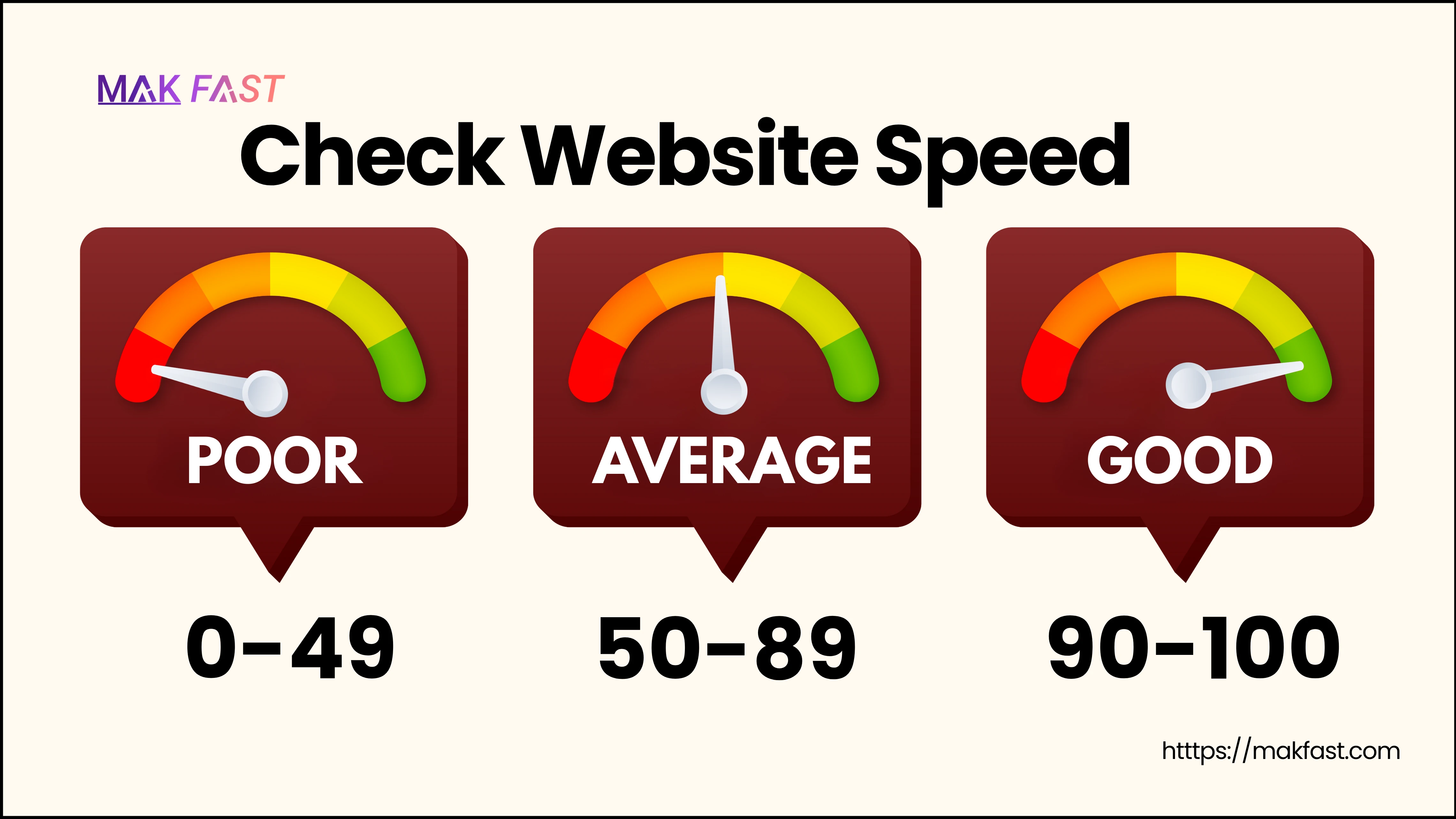
Performance Score (0–100): This is a numeric score that indicates your website’s overall performance, based on several speed and usability metrics.
- 90 to 100 score: represents Good performance.
- 50 to 89 Score: signifies improvement is required.
- 0 to 49 score: represents a poor score.
It combines laboratory and field data and provides a snapshot of your site’s performance with users under real-world scenarios
Diagnose performance issues: This section gives actionable advice to optimize your website’s performance by pointing out certain areas where improvements will bear the most fruit.
These include optimizing images by using modern formats like WebP, minimizing JavaScript execution time to reduce blocking, using browser caching for faster repeat visits, enabling text compression (such as GZIP or Brotli) to reduce file sizes, and removing unused CSS or third-party code that slows down loading.
The recommendations are prioritized to help you focus on the changes that will have the greatest impact on speed and usability.
How to Use Google PageSpeed Insights
Step 1. Visit Google PageSpeed Insights.
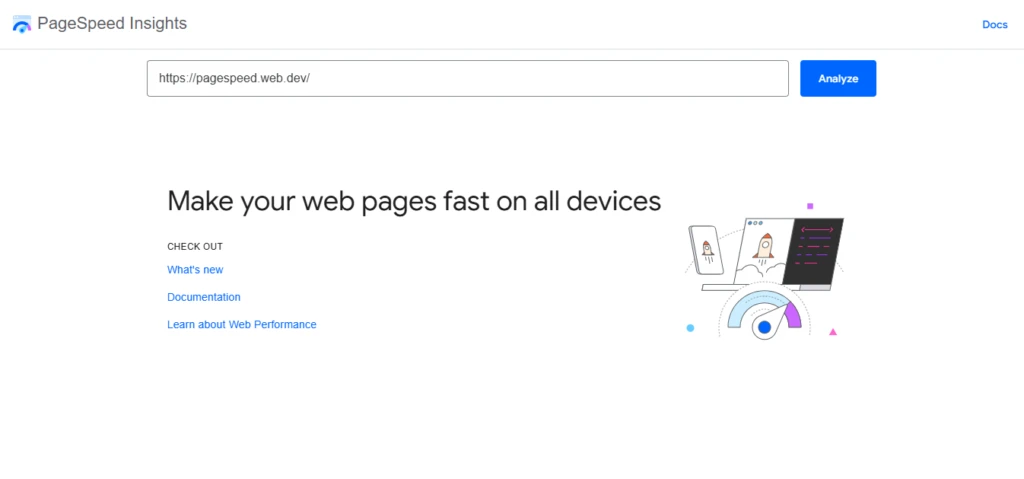
Step 2. In the input box, enter or paste the URL of the site you wish to evaluate.
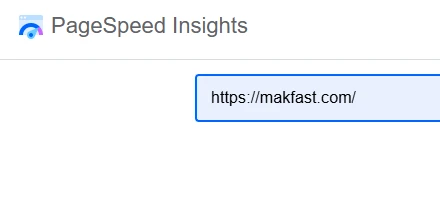
Step 3. Press the “Analyze” button, and the tool will assess the page’s performance on mobile devices and desktop computers.

Step 4. Examine your performance score, Core Web Vitals metrics, and the provided recommendations.
You can discover additional information available out there. So visit the Google PageSpeed Insigits and evaluate your website performance issue.
How to Check Core Web Vitals in Google Search Console
Google Search Console is a free tool that allows website owners to track, maintain, and improve their site’s presence in Google Search results. A key feature is the Core Web Vitals report, which provides insights into how real users experience your website regarding speed, interactivity, and stability.
Understand the step-by-step process to check your website speed using Google Search Console.
Step 1. Visit Google Search Console and log in with your Google account.
Step 2. Choose the website property you want to analyze from your dashboard.
Step 3. In the left-hand menu, click on “Core Web Vitals” under the “Experience” section.
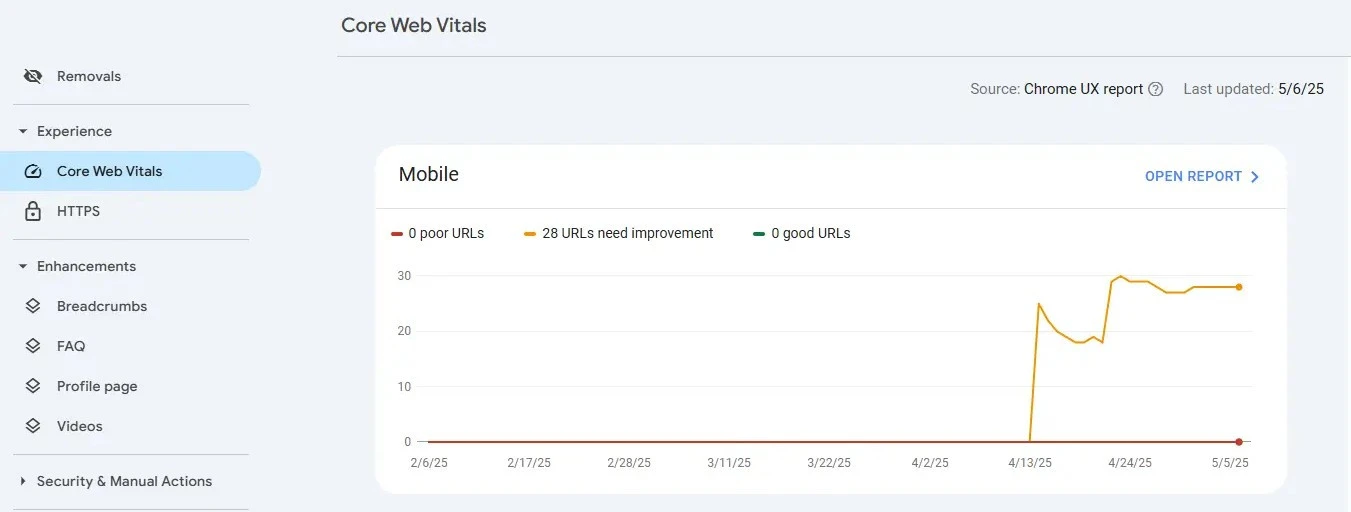
Step 4. Review the separate reports for mobile and desktop performance. Each report includes:
- Total number of URLs in each performance category.
- Specific issues affecting Largest Contentful Paint (LCP), First Input Delay (FID), and Cumulative Layout Shift (CLS).
- Lists of affected URLs within each group.
Step 5. Use the provided example URLs and insights to address issues. After applying fixes, click “Validate Fix” to notify Google of a recheck of the issue.
This tool offers a comprehensive solution for all your website optimization needs. Other than core web vitals, you can use this tool to understand traffic, user behavior, indexing issues, and more. So visit the Google Search Console and evaluate your website’s performance, speed, and user experience.
Tips for Improving Website Speed
Improving your website’s speed doesn’t always require a complete rebuild. Small, targeted changes can have a big impact on how fast your website loads and how users experience it.
Here are some effective tips to enhance your website’s performance:
- Optimize Images: Large or uncompressed images are likely the most frequent reasons for slow websites. Use modern formats like WebP and compressed images.
- Enable Browser Caching: Browser caching stores website elements such as images, stylesheets, and scripts in a user’s browser, so they don’t need to be reloaded on every visit, improving load times and overall performance. Configure caching settings through your .htaccess file or your hosting panel to enhance load times for returning visitors.
- Minify CSS, JavaScript, and HTML: Minification involves removing unnecessary spaces, comments, and characters from your code, which reduces file size and improves loading speed. You can use tools like UglifyJS, CSSNano, or online compressors, or automate the process with a build tool or a WordPress plugin.
- Use a Content Delivery Network (CDN): A CDN stores copies of your website on servers around the world and delivers content from the server closest to the user. This reduces latency and accelerates load times for visitors across different regions. Some popular CDNs are Cloudflare, Bunny.net, and Amazon CloudFront.
- Reduce HTTP Requests: Each file (CSS, JavaScript, image) on your website generates a separate request. The greater the number of requests, the slower the page loads. Combine files, remove unnecessary scripts and plugins, and use CSS sprites for icons or small images.
- Enable Lazy Loading: Lazy loading delays the loading of images and other media until they are needed (i.e., when they enter the user’s viewport). This reduces initial load time and enhances the speed of web pages with numerous images or videos.
Speed-up your website with Makfast
If you think your Website speed and performance are slower and you want to improve it. Thinking, you are not getting enough traffic, leads, and conversation on your site then Makfast is the solution.
Makfast offers speed optimization solutions such as WordPress speed optimization, Shopify speed optimization, etc. We reduce load times by implementing smart caching, image optimization, and code compression, helping your site meet Core Web Vitals benchmarks. Whether you’re running a blog, an eCommerce store, or a business website, Makfast ensures faster loading, smoother user experiences, and better SEO performance.
Conclusion
Website speed plays a vital role in enhancing user experience, improving search engine rankings, and increasing conversion rates. Google offers free tools like PageSpeed Insights and Google Search Console to help you evaluate and improve your website’s performance. By regularly testing and applying optimization strategies, you can enhance your website speed, improve user satisfaction, and boost your rankings.
Frequently Asked Questions
1. What is a good website speed score?
A suitable website speed score is typically 90 or better out of 0 to 100 scale in tools like Google PageSpeed Insights. This means that your website is performing optimally in terms of loading speed, responsiveness, and user experience.
2. How often should I test my website speed?
It is a good idea to check your website speed at least once a month to ensure consistent performance. Also, check it after significant updates or changes to the site to determine any effect on speed.
3. Can I test both mobile and desktop speed?
Yes, tools like Google PageSpeed Insights allow you to test both the mobile and desktop versions of your website. Since mobile performance is increasingly vital for SEO and user experience, it’s essential to evaluate both versions.
4. Is Website Speed Equivalent to Page Load Time?
Website speed and page load time are similar but not identical. Page load time describes the time it takes for a page to come on screen, whereas website speed measures overall performance in terms of load time, responsiveness, and user interaction.
5. What is a good PageSpeed score for SEO?
For optimal SEO performance, target a PageSpeed score of 90 or above. A higher score indicates that your site is loading quickly and providing a better user experience, which can positively impact your search engine rankings.